Permissions
StationOps access is managed at three levels:
Can manage organisation settings, members, connections, and archive/restore the organisation. Organisation admins also inherit project admin access on every project in the organisation. The organisation owner always has this access.
Can manage project settings (services, environments, access, alarms, webhooks, archive/restore). Assign directly under Settings → Access → Project Admins, or via a user group with Administrator enabled. Organisation admins are project admins automatically.
Assigned on user groups per environment for deploying services or infrastructure.
Add an Organisation Admin
- Open organisation Settings → Members.
- Change the member's role to Admin.
Add a Project Admin
- Open the project Settings → Access.
- Under Project Admins, click Add Admin and select an organisation member.
Add Permissions to a User Group
Follow these steps to assign permissions to a user group in your project:
-
Open Project Dashboard:
Navigate to your Project Dashboard. -
Access Settings:
Click on Settings in the main navigation. -
Access Control:
In the side navigation, click on Access -
Select a User Group:
Click on the user group you want to modify.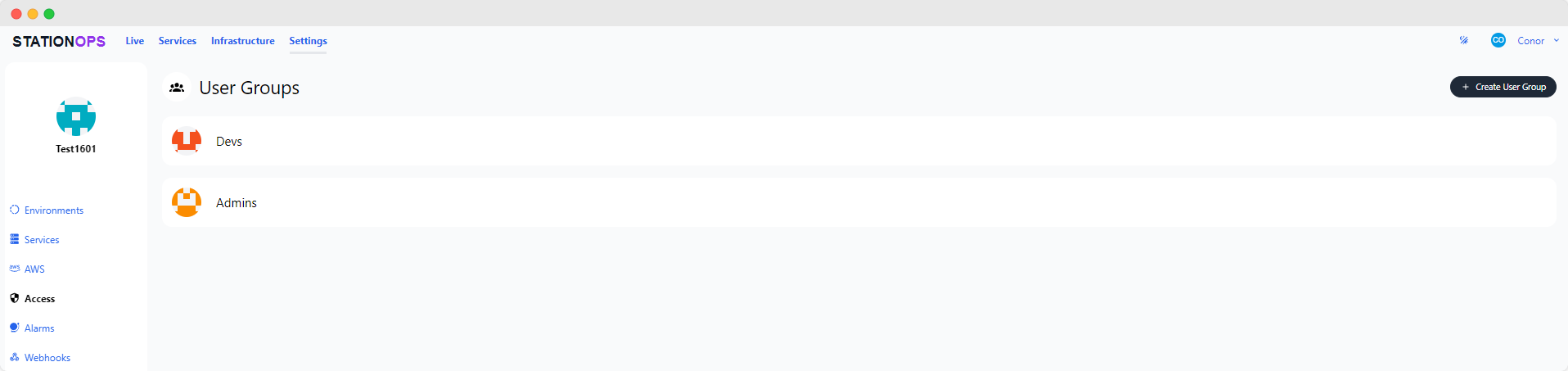
User Group selection menu. -
Assign Permissions:
Select the permissions you want to grant to members of the user group:- Admin
- Deploy Services
- Deploy Infrastructure
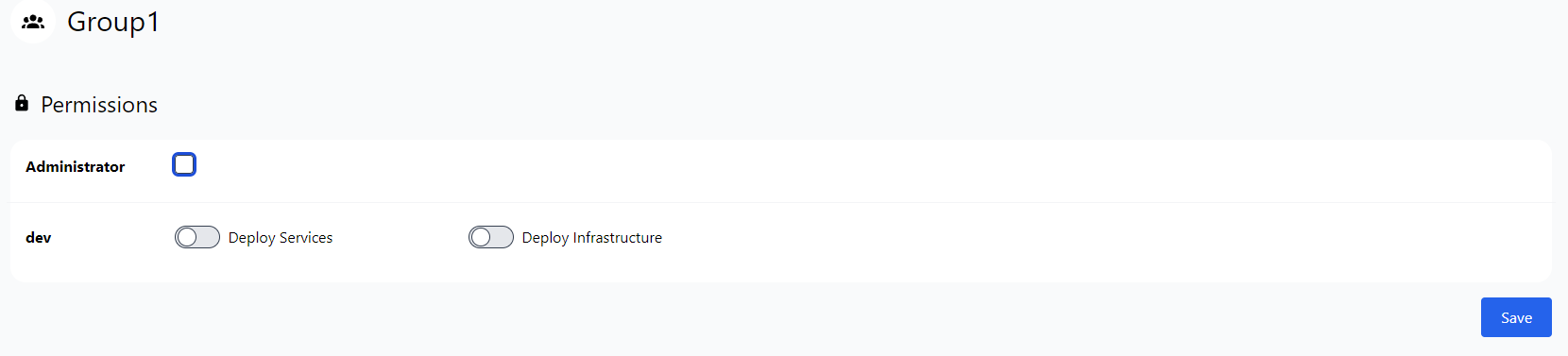
The image above shows the interface for configuring user group permissions. -
Save Changes:
To apply the permissions click Save
Additional Resources
⭐ StationOps Architect
For more information on how to configure permissions see the StationOps Architect guide